

Overview
TierZero can be installed as a Linear agent — an assignable, mentionable member of your Linear workspace. Once installed, any issue assigned to TierZero (or comment that @mentions it) opens an agent session in Linear’s UI. TierZero acknowledges within seconds, streams its thinking and tool calls back as activities, and posts a final response when it’s done.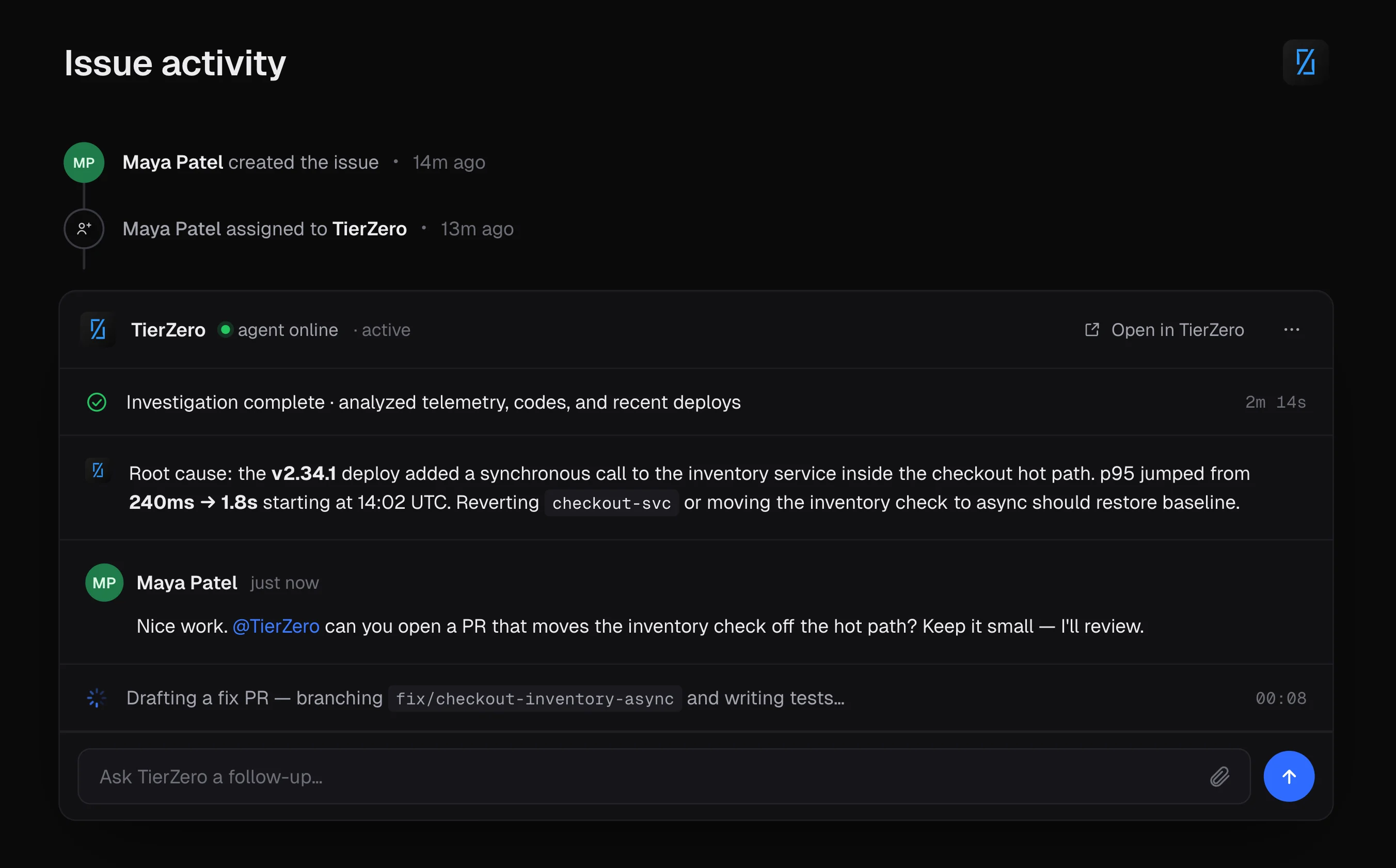
Prerequisites
- Administrative access to your Linear workspace (required to install the agent)
- Admin role in TierZero with
write:integrationspermission
Setup Instructions
Step 1: Install the Agent in Your Workspace
- In TierZero, go to Settings → Integrations → Project Management → Linear
- Open the Agent tab
- Click Install Agent
- You’ll be redirected to Linear to authorize the installation
- Approve the requested permissions (assignable, mentionable, post agent activities)
- You’ll be redirected back to TierZero with the installation listed under the Agent tab
Step 2: Route Issues to TierZero (Linear Side)
This step happens entirely in Linear and is up to you. Common patterns:- Manual assignment: Engineers assign individual issues to TierZero as needed
- Linear automations: Auto-assign issues that match conditions (e.g. “when issue created in Security team → delegate to TierZero”)
- Labels or dedicated projects: Route issues via a
tierzerolabel or a dedicated project
Step 3: Configure a Support Agent for Linear (Optional)
To run a specific runbook on issues that match certain criteria, create a Support Agent with Linear as the source:- Go to Support Agents → Create Support Agent
- Choose Linear as the source
- Pick the Linear team this agent should monitor
- (Optional) Add filter rules — match by labels and/or project. Rules support AND/OR logic.
- Write filtering instructions / runbook
- Save
Each Linear team can be bound to at most one Support Agent. Use filter rules within that agent if you need to differentiate behavior by label or project inside the same team.
Removing the Agent
Removing the agent is a two-sided action — disconnect on the TierZero side, then revoke access on the Linear side.Step 1: Disconnect on TierZero
- Settings → Integrations → Linear → Agent tab
- Click the menu next to the workspace and choose Disconnect
Step 2: Revoke Access in Linear
- In Linear, go to Settings → API → Authorized applications
- Find the TierZero agent and click Revoke